
RCS Messaging vs SMS: Which Is Better for Business Communication?
RCS is everywhere right now, but the hype skips a question that matters more for small businesses: does it actually work for yours today? Here's how RCS and SMS really compare in 2026.
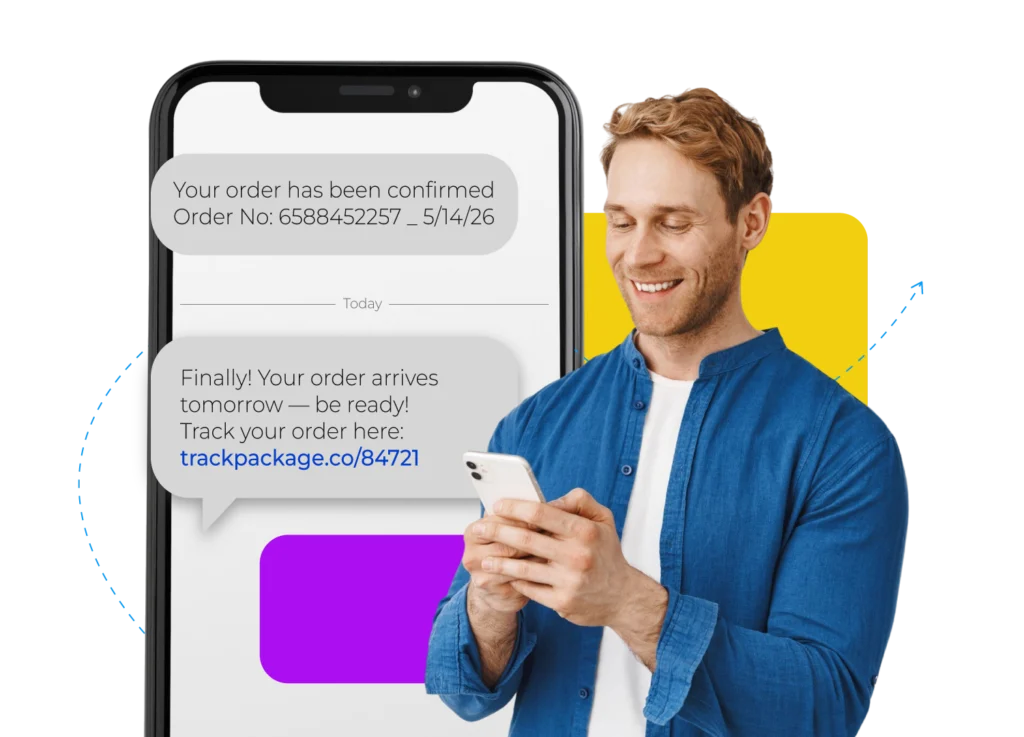
If you’ve been reading anything about business texting lately, RCS is everywhere. Apple finally added support for it in late 2024. Every SMS platform is pushing it. Marketing blogs say it’s the future of customer messaging.
But here’s the thing nobody’s really telling small business owners.
Does RCS actually work for your business today? Or is plain old SMS still the smarter call in 2026?
That’s exactly what this guide will answer. We’ll walk through what RCS is, what SMS is, what each one costs, who they reach, and where each one wins. Let’s start.
Key Takeaways
|
What Is RCS Messaging?
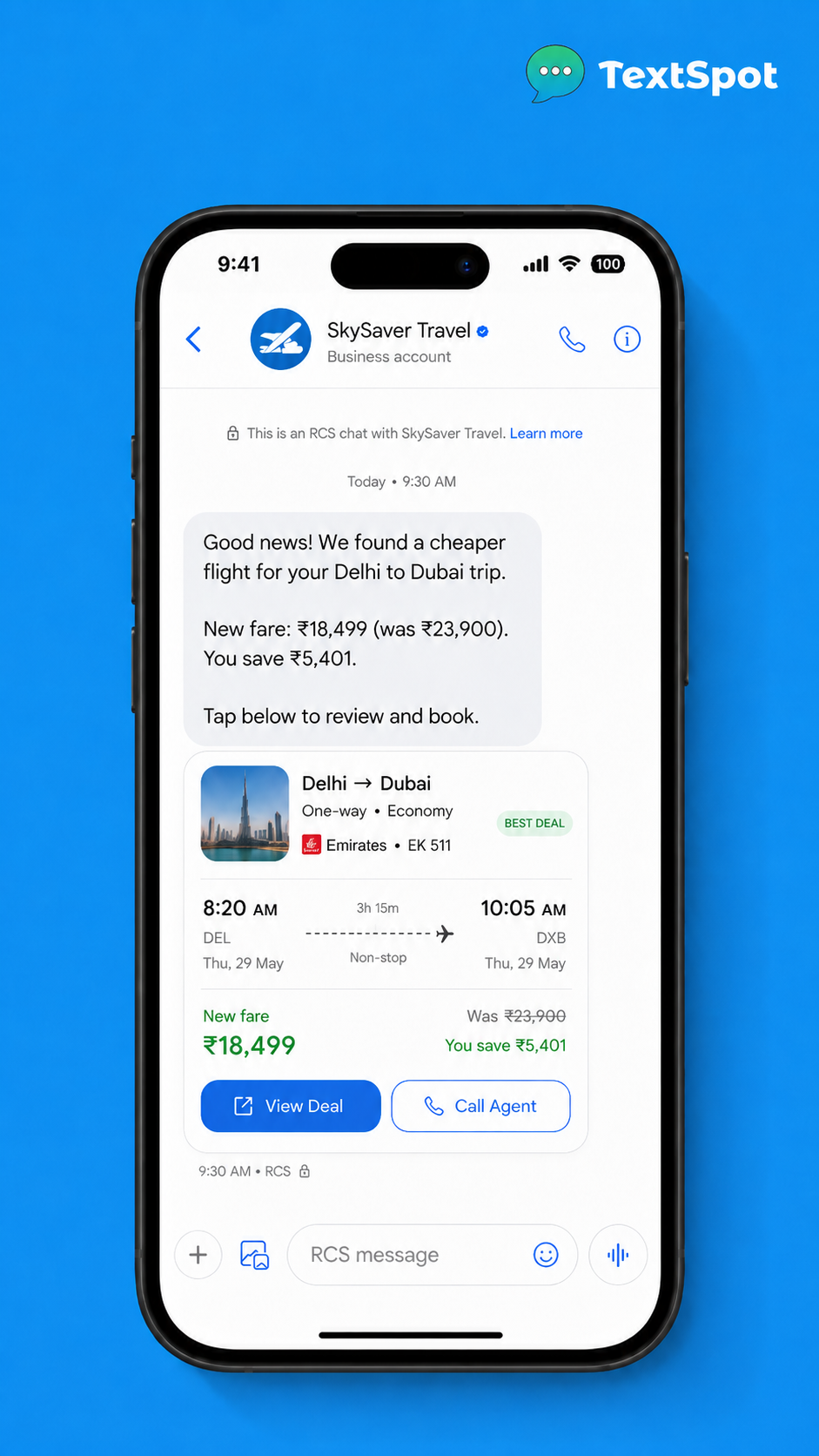
RCS stands for Rich Communication Services. It is similar to an SMS but with an upgrade.
You get branded sender profiles (logo, business name, verified badge), images, carousels, action buttons, read receipts, and typing indicators. All of this lives inside your phone’s normal messaging app. Like this:
However, RCS isn’t something you can start using instantly. You will need Google verification, carrier approval, and a setup process that takes some time. It’s also not available everywhere.
So, if you’re a small business owner who wants to start texting customers tomorrow, RCS will slow you down.
Benefits of RCS for Businesses
The biggest benefit of RCS for a business is the verified brand sender badge. Instead of a text from some random 10-digit number, customers see your logo, your name, and a trust badge. In a world full of spam texts, that matters a lot more than it used to.
Next, the rich media changes how you send offers. You can drop image carousels, product galleries, and tappable buttons right in the message. That means you no longer need to push people to a landing page for every little thing.
On top of this, the read receipts give you real delivery proof. That’s handy for time-sensitive campaigns. And with in-message actions, customers can book, buy, or reply without leaving the chat.
The engagement data is strong, too. According to Infobip, RCS business messages jumped 277% on Black Friday 2025 compared to 2024.
Disadvantages of RCS for Businesses
The biggest disadvantage of RCS is that the support is still patchy. RCS works on Android with the right carrier, or iPhones running iOS 18 or later. (Apple only added support in late 2024) So if a chunk of your customer list uses older iPhones or carriers that haven’t rolled it out, your messages won’t reach them. Not unless you’ve set up an SMS fallback.
Getting started isn’t simple either. You’ll need carrier approval and Google brand verification first. That takes time and tech know-how. For a small team or a solo business owner, that’s a real wall.
The cost is also higher per message than SMS. At scale, those extra pennies add up fast. And according to Juniper’s Research (April 2026), brand onboarding is still the main reason most businesses can’t move to RCS.
If you work in healthcare, law, or finance, SMS has clear compliance rules (A2P/10DLC in the US). RCS compliance is still catching up.
What Is SMS?
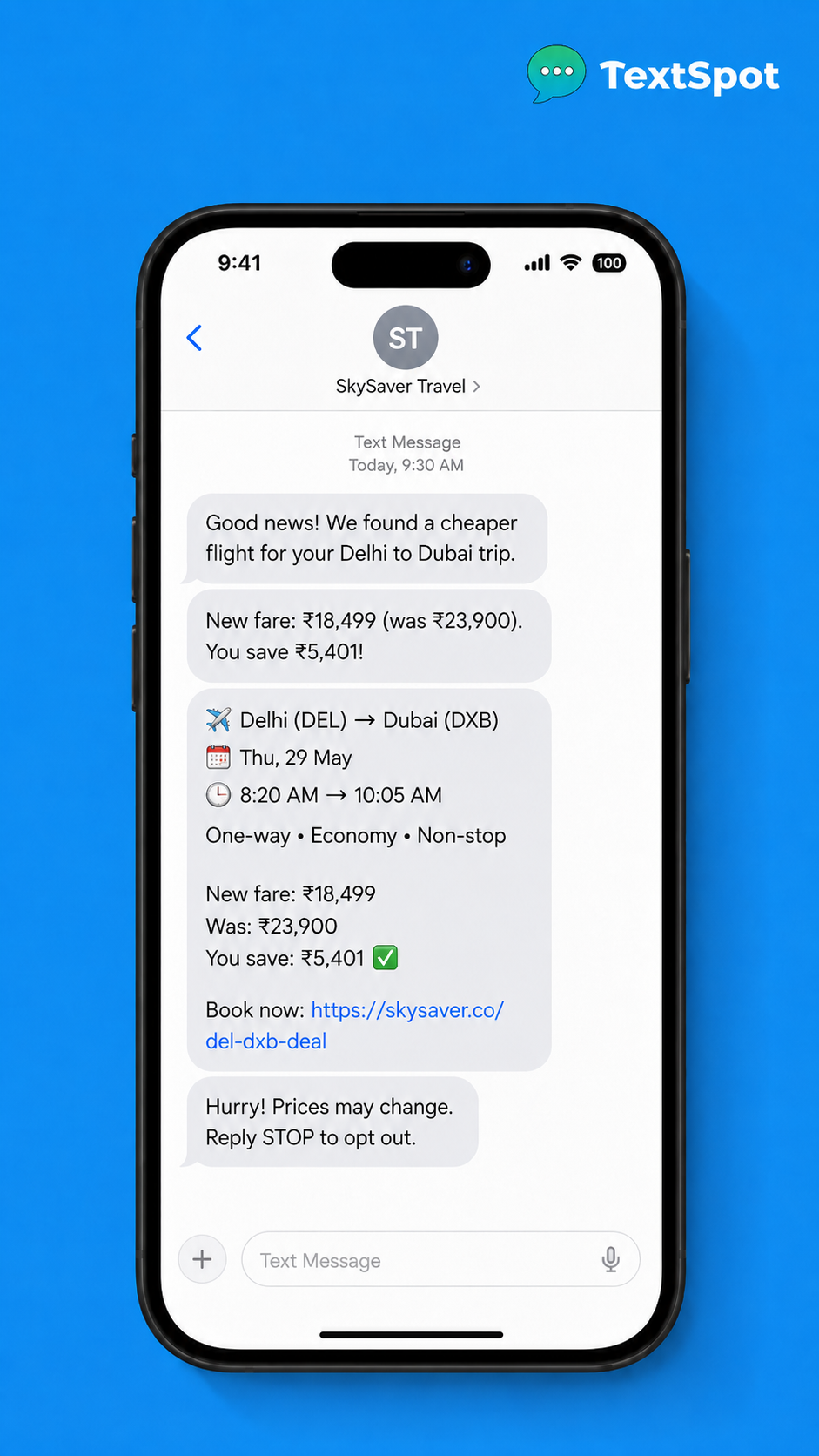
SMS, or Short Message Service, is the text messaging standard that’s been around for over 30 years. It works on every phone, with every carrier, and every country. It does not need any app, internet, or verification on the customer’s end. Forbes cites a 98% open rate for SMS marketing. Plus, multiple industry research consistently shows reports that 90% of texts get read within 3 minutes.
Benefits of SMS for Businesses
Universal reach is probably the biggest advantage of SMS. It doesn’t matter if your customer has an old Android or the latest iPhone. Doesn’t matter if they’re in a city or a small town. SMS gets there.
The setup is also super fast. With a platform like TextSpot, you can sign up and send your first campaign the same day. You don’t need any brand verification, carrier approval, or a developer to run it.
Compliance is another well understood aspect with SMS. In the US, A2P/10DLC registration is the standard, and most platforms walk you through it. For healthcare offices, law firms, and financial advisors, this part really matters.
Overall, SMS handles the most common business needs really well. Appointment reminders, event alerts, staff updates, donor outreach, or flash sales. All of these work great over plain text. They don’t need images or fancy buttons. They just need to be seen, FAST.
Disadvantages of SMS for Businesses
The biggest disadvantage of using an SMS service for your business is the 160-character limit. Longer messages get split into segments, which can use extra credits depending on your provider.
Adding to this, it’s plain text by default. That means you can’t add images, logos, or buttons. (MMS handles the image gap, but that’s a different service.)
There are no read receipts in regular SMS. You can track link clicks, sure. But you won’t get a “seen at 3:07 PM” notice like with RCS.
Lastly, your texts come from a phone number, not a brand name. If your customer doesn’t have your number saved, they might not know who’s texting. However you can fix it simply by introducing yourself at the start of the message.
RCS Messaging vs SMS: Side-by-Side Comparison for Business Messaging
Here’s how the two stack up across the things that actually matter for business use.
| Feature | RCS | SMS |
|---|---|---|
| Device support | Android + iOS 18+ | Every phone, globally |
| Carrier support | Select carriers only | Universal |
| Rich media | Images, carousels, buttons | Text only (MMS for media) |
| Delivery reliability | Not guaranteed | Near-universal |
| Read receipts | Yes | No |
| Branded sender | Yes (verified) | Phone number only |
| Compliance framework | Complex, evolving | A2P/10DLC (US) |
| Setup complexity | High | Simple |
| Cost | Higher per message | Lower per message |
| Best for | Large consumer brands | SMBs, all verticals |
When to Use RCS?
RCS makes sense for big consumer brands— ones with developer teams, mostly Android audiences, and time to handle brand verification.. High-volume retail campaigns (think Black Friday) where rich visuals are worth the setup work also fit well.
If you’re in financial services or enterprise healthcare, the verified branding can really help with trust. When impersonation is a real risk and your customers use the right devices, RCS is worth the work.
When to Use SMS?
For just about everyone else, SMS is the right call.
If you send appointment reminders in a healthcare or legal office, SMS just works. Every patient gets the message, no matter what phone they have. Delivery is near-perfect, and the rules are clear.
Nonprofits running donor outreach or event alerts? SMS reaches everyone on the list. No one gets left out because of an iOS version.
Event organizers love it for day-of messages. Gate open times, parking updates, schedule changes. These need to land fast and SMS delivers just perfectly.
For flash sales and promo texts, the 98% open rate means your offer gets seen. That’s more useful than a branded carousel for most retail shops.
Internal staff alerts work great over SMS, too. Shift changes, team updates, urgent notices. They all reach everyone without needing a specific app installed.
Is RCS or SMS Better for Text Marketing?
SMS is the better choice for text marketing in 2026 for most small and mid-size businesses.
RCS is growing, and growing fast. Juniper Research expects business RCS traffic to top 200 billion messages globally by 2027. That tells you where the industry is heading. But where things are heading and where they are today are two different stories.
Right now, brand onboarding for RCS still takes time. Juniper Research (April 2026) flags it as the main barrier to wider adoption. Add in patchy device and carrier support, and you can’t count on reaching your whole list with RCS. For a marketing channel to actually work, it has to hit everyone.
SMS, on the other hand, hits that 98% open rate compared to a 20% open rate for email, according to Forbes. Those numbers are why SMS is the backbone of most business text programs, not a fallback option.
Honestly, RCS has a bright future. It’s worth watching. But SMS is the present. For appointment reminders, event alerts, donor campaigns, and promos, SMS still gives you more reach for less money in 2026.
The Bottom Line: Why SMS Still Wins for Most Businesses
After looking at both, the answer for most SMBs is pretty clear. RCS is impressive when it works. Verified branding, rich media, buttons. All of it is better than a plain text, no question. But “when it works” is doing a lot of heavy lifting there.
SMS works every time.
On every phone. For every contact. It’s cheaper per message, simpler to set up, and backed by clear compliance rules that healthcare, law, and finance teams can trust. If you’re a nonprofit, an event organizer, or any business that needs to reach people fast without jumping through hoops, SMS is still the way.
TextSpot is built for exactly this kind of work. It’s a simple, affordable SMS platform for small and mid-size businesses, starting at just $29 per month, with no long-term contracts.
You can set up automated reminders, run campaigns, and manage your contact list without needing a developer or a month of onboarding.
Try it free, no credit card required.
Frequently Asked Questions
What Is the Difference Between RCS and SMS?
The main difference between RCS and SMS is reach and features. SMS is a basic text messaging standard that works on every phone globally. RCS is an upgraded version that adds rich media, branded sender profiles, read receipts, and interactive buttons. SMS reaches everyone. RCS only works on Android phones and iPhones running iOS 18 or later.
Is RCS Replacing SMS?
No, RCS is not replacing SMS in the near term. RCS is growing quickly, but uneven device and carrier support mean it can’t replace SMS as a universal channel yet. Industry forecasts expect both to coexist for several years. As Apple’s support matures and more carriers roll out RCS, things may shift. For now, SMS remains the standard for reaching 100% of your contacts.
Does RCS Work on All Phones?
No, RCS does not work on all phones. It requires Android with a compatible carrier, or an iPhone running iOS 18 or later. Apple only added RCS support in late 2024, and not every carrier has rolled it out yet. Customers on older iPhones or unsupported carriers won’t get RCS messages unless you’ve set up an SMS fallback.
Can Businesses Send RCS Messages Today?
Yes, businesses can send RCS messages today, but the process isn’t simple. You’ll need to complete Google’s verification and get carrier approval before sending. The setup is more complex than SMS registration and usually requires developer resources. Large brands with budget and tech teams can manage it. For most small businesses, it’s still not the most practical place to start.
Is RCS or SMS Better for Appointment Reminders?
SMS is better for appointment reminders in most cases. It delivers to every phone, regardless of device or carrier, and doesn’t need internet access. SMS also lands in the native messages app, which is where people see things fastest. So, for healthcare practices and legal offices, SMS reliability beats RCS features.
What Do I Need to Start Sending Business SMS Messages?
You need three things to start sending business SMS messages. First, an SMS platform. Second, a registered phone number or shortcode. Third, a contact list of people who’ve opted in to receive your messages. In the US, you’ll also need to complete A2P/10DLC registration, which most platforms handle for you during onboarding. With TextSpot, you can sign up and send your first message the same day.
START FOR FREE. NO CREDIT CARD REQUIRED.
Create Account
Start scheduling, managing, and automating text messages today.
Create Your Free Account
Start scheduling, managing, and automating text messages today.
No credit card required. Takes 3 minutes.