
Best Bulk Texting Service for Schools
Compare the best bulk texting services for schools. Find the right platform for your school's size, budget, and communication needs, from alerts to parent outreach.
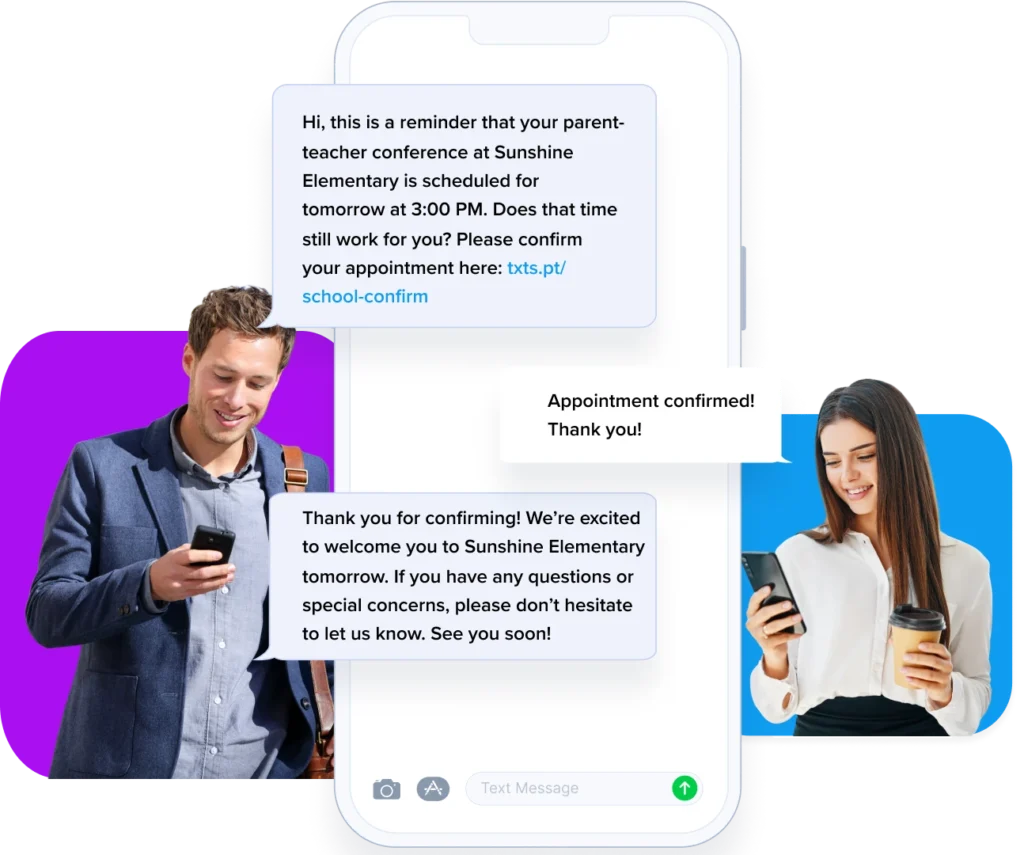
Schools text for a lot of different reasons, but not all bulk texting platforms are built the same way. A small private school sending 50 weather delay alerts a month has completely different needs than a district pushing attendance notifications to 10,000 parents every day.
This guide covers what schools are using bulk SMS for, what separates a good platform from a frustrating one, and which services fit which kinds of schools.
What Schools Use Bulk Texting For
Before choosing a platform, it helps to know which of these use cases apply to your school. Most administrators find they start with one and expand from there.
- Emergency alerts: lockdowns, severe weather, unexpected closures
- Attendance and absence notifications: automated alerts to parents when a student is marked absent
- Schedule changes: early dismissals, late starts, room or time changes
- Staff communication: substitute teacher alerts, all-staff announcements, shift coverage
- Event reminders: parent-teacher conferences, sports games, fundraisers, open houses
- Enrollment and admissions: application deadlines, tour reminders, decision notifications
- Payment reminders: tuition deadlines, lunch balance alerts, fee notices
- Athletics and extracurriculars: practice cancellations, game updates, carpool coordination
- Student communication: assignment reminders, club updates, graduation logistics
A platform that handles all of these well is usually overkill for a school that only needs two or three. Match the platform to what you’re sending, not to the most impressive feature list.
What Separates a Good School Texting Platform from a Bad One
- Speed of delivery: Emergency alerts are useless if they arrive ten minutes late
- Contact list management: The ability to segment parents, staff, students, and subs into separate lists
- Two-way messaging: Parents and staff need to be able to reply
- Scheduling: Set recurring reminders in advance and let them run automatically
- No app required for recipients: Standard SMS reaches every phone without a download
- Transparent pricing: Watch for platforms that charge carrier fees on top of the monthly rate
- Ease of use: The person sending messages is usually an office admin, not a developer
The Platforms
TextSpot
Best for: Small to mid-sized schools (private, charter, Montessori, parochial) that need affordable bulk texting without a steep learning curve
TextSpot is general-purpose SMS software with a clean interface that’s easy to hand to an office manager with no training. Upload your contact lists, create message templates for the situations that repeat most often (weather delays, parent reminders, staff alerts), and send in a few clicks.
It’s not built exclusively for schools, but that’s also what keeps it affordable. Schools that don’t need attendance system integrations or multilingual translation—and are simply looking for a reliable, low-cost way to send texts to parents and staff—will find it does the job just fine.
Two-way messaging means parents and staff can reply, and those replies land in a shared inbox. Autoresponders handle confirmation messages automatically. Zapier integration connects TextSpot to over 7,000 other apps, including Google Calendar, HubSpot, and most form tools schools already use.
- Starting price: $29/month for 500 message credits. Carrier fees included—no added per-message charges. One-time $19 carrier registration fee.
- Free trial: Up to 2 weeks, 50 messages
- What it doesn’t do: Voice calls, attendance system integration, multilingual translation, district-level administration
Bottom line: The right call for a small school that wants to start texting parents and staff this week without a big budget or a long setup.
EZ Texting
Best for: Schools that want a polished, feature-rich platform and don’t mind paying more for it
EZ Texting is one of the most established names in bulk SMS, used by schools and community organizations across the US. It has one of the best template libraries in the industry, strong MMS support (send images, flyers, event graphics), and an AI message composer that can help staff who aren’t confident writers.
The tradeoff is cost. EZ Texting’s entry plan starts around $25–$30/month, but MMS messages cost three credits instead of one, and some plans add carrier fees separately. For a school that sends a high volume of image-heavy messages, costs add up faster than they do on competing platforms.
- Starting price: From ~$25/month; MMS costs 3 credits per message
- Free trial: Yes
- What it doesn’t do: Voice calls, school-specific workflows, district SIS integration
Bottom line: A strong pick for schools that send visually rich communications and have a slightly larger budget for it.
SimpleTexting
Best for: Schools comfortable managing their own SMS program and looking for a reliable, mid-market platform
SimpleTexting is a well-regarded general SMS platform with a clean interface and solid two-way messaging capabilities. Schools use it for everything from parent alerts to staff coordination to fundraising campaigns. It integrates with Mailchimp, HubSpot, and Zapier, and the mobile app makes it possible to manage messages from anywhere.
Pricing starts at $29/month for a toll-free number; a local 10DLC number runs $39/month. Carrier fees are bundled into the plan on most tiers. It’s straightforward to set up, and the support team is available seven days a week.
- Starting price: $29/month (toll-free) / $39/month (local 10DLC)
- Free trial: 14 days
- What it doesn’t do: Voice calls, school-specific features, SIS integration
Bottom line: A dependable middle-ground option that works well for schools already comfortable with SMS marketing tools.
SlickText
Best for: Schools building large opt-in subscriber lists, especially for parent engagement and booster clubs
SlickText is comparable to SimpleTexting in features and price, but adds stronger list-growth tools: web signup forms, QR codes, keyword campaigns, and visual automation workflows. For a school’s PTA or booster club trying to grow a parent text list from scratch, these tools are genuinely useful.
For pure internal staff communication or substitute alerts, the list-growth features aren’t necessary. But if a school is using bulk texting as part of a broader parent engagement strategy, SlickText gives more room to grow.
- Starting price: $29/month (toll-free) + $10/month for a local 10DLC number
- Free trial: 14 days
- What it doesn’t do: Voice calls, school-specific integrations
Bottom line: Best for schools thinking beyond alerts and into parent community-building via SMS.
Text-Em-All
Best for: Schools that need both SMS and automated voice calls in one platform
Text-Em-All was built specifically for mass communication in community organizations, including schools. Unlike general-purpose SMS platforms, it sends both text messages and automated voice calls from the same system, which matters for reaching parents or staff members who don’t engage with texts.
Pricing is pay-per-message rather than a monthly subscription. For schools with lower message volume or seasonal communication spikes (end of semester, weather events), this model can be more economical than a flat monthly fee. Delivery tracking is strong, and the platform is designed to be used without technical expertise.
- Starting price: Credits-based, no monthly subscription required
- Free trial: Yes
- What it doesn’t do: SIS integration, parent-teacher messaging threads, multilingual translation
Bottom line: The practical choice for any school that still needs phone call capability alongside SMS.
SchoolMessenger
Best for: Public school districts with large populations and complex communication needs
SchoolMessenger is a full district communication platform, not only an SMS tool. It handles SMS, voice, and email from a single system and integrates with student information systems for automated attendance alerts, enrollment updates, and multilingual parent notifications. Many US districts use it district-wide.
Pricing is quote-based and scales with enrollment. For a single small school, it’s almost certainly more platform and more cost than the use case demands. For a district already managing complex communication at scale, it’s worth the investment.
- Starting price: Quote-based
- What it includes: SMS, voice, email, SIS integration, multilingual messaging, emergency notification workflows
Bottom line: Purpose-built for districts. If you’re a district already considering it, it’s likely your best option. If you’re a single school, it’s probably more than you need.
Remind
Best for: Teacher-to-parent classroom communication, not bulk school-wide alerts
Remind is widely used in K–12 for classroom-level messaging: teachers sharing homework reminders, assignment updates, and event notices with individual class groups. It’s free at the basic level and familiar to many parents already.
It’s not the right tool for school-wide bulk texting. It doesn’t have robust list management, scheduled broadcast campaigns, or the administrative tools a front office needs to send all-school alerts. If your school already uses Remind for classroom communication, it can supplement but won’t replace a proper bulk SMS platform.
- Starting price: Free (basic); paid tiers available
Bottom line: Use it for classroom communication. For anything that needs to go school-wide, you’ll need a different tool.
How to Choose the Right One
Start with these three questions:
- How many contacts are you texting, and how often? A sub pool of 40 is very different from 2,000 parents.
- Do you need voice calls alongside SMS? If yes, Text-Em-All is the clear answer.
- What’s your budget? General-purpose platforms like TextSpot, SimpleTexting, and SlickText start at $29/month. District platforms like SchoolMessenger are priced differently and built for a different scale.
For most small schools starting out: TextSpot or SimpleTexting. Both are affordable, easy to set up, and handle everything from parent reminders to staff alerts without unnecessary complexity.
For schools growing parent engagement programs: SlickText or EZ Texting, both of which offer stronger list-building and visual messaging tools.
For schools needing voice + SMS: Text-Em-All.
For large public districts: SchoolMessenger.
Get Started with TextSpot
TextSpot plans start at $29/month for 500 message credits. That’s enough to send a message to your entire parent list several times over for a typical small school. Carrier fees are included, so there are no surprise charges on top of your monthly bill.
Set up contact lists for parents, staff, and your sub pool. Save templates for the messages you send most. Once it’s configured, sending a school-wide text takes about thirty seconds.
Start a free trial in under 60 seconds. No credit card required.
START FOR FREE. NO CREDIT CARD REQUIRED.
Create Account
Start scheduling, managing, and automating text messages today.
Create Your Free Account
Start scheduling, managing, and automating text messages today.
No credit card required. Takes 3 minutes.