
How to Use Text Message Marketing for Sales Events
Drive more traffic and revenue from flash sales, seasonal events, and promotions. Get text message marketing strategies and examples from TextSpot.
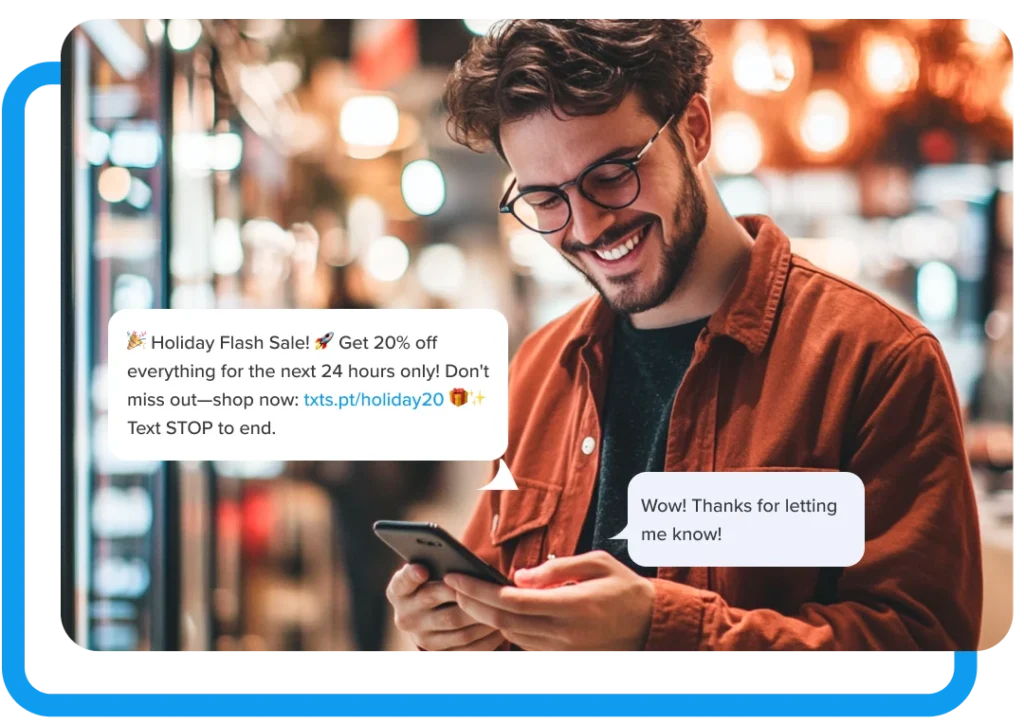
A sales event only works if people show up (or show up online at the right time). Text message marketing is one of the most direct ways to drive traffic and revenue during a sales event, whether that’s a flash sale, a seasonal clearance, a grand opening, or a one-day promotion. Here’s how to use it.
What Counts as a Sales Event?
Sales events come in many shapes. All of them benefit from SMS. A few common examples:
- Flash sales lasting 24 hours or less
- Seasonal sales (Black Friday, end-of-summer, back-to-school)
- Grand openings and anniversary sales
- Clearance events and inventory blowouts
- VIP or loyalty customer previews
- Holiday promotions
What they all have in common: urgency. Texts arrive instantly and get read fast, which makes them the right channel when timing is the whole point.
Our Top SMS Marketing Tips for Sales
1. Build Your List Before the Event
The most important thing you can do before any sales event is have a list to text. Start building it early.
Set up a TextSpot keyword—like SALE, DEALS, or your business name—and promote it everywhere: on your website, in your storefront, on receipts, in your email newsletters, and on social media. Everyone who texts in gets added to your list automatically and receives a confirmation.
Example opt-in promo: Text DEALS to 555-555-5555 to get early access to our next sale.
The larger and more engaged your list, the more your sales event texts will drive. Start collecting opt-ins weeks before your event.
2. Send a Save-the-Date Text
Give your list advance notice. A teaser text 5–7 days before the event builds anticipation and lets people plan around it, especially for bigger events like Black Friday or an annual sale.
Example: Big news: our biggest sale of the year starts Saturday. 40% off everything in store and online. Stay tuned for your early access link.
Keep it short. Don’t give everything away yet. The goal of this text is awareness, not conversion.
3. Give Your List Early Access
Reward subscribers with early access to the sale before it goes public. This is one of the most effective ways to drive both signups and sales because people opt in for the perk, and they convert because they got in first.
Example: Hi [First Name], you’re getting early access to our summer clearance, starting tonight at 6 PM, 24 hours before it opens to everyone else. Shop here: [link]
Early access also creates a natural deadline, which drives action on its own.
4. Send a Day-Of Reminder
When the sale goes live, send a text. Don’t assume people remember. A morning text on the day of the event often turns intent into action.
Example: Today’s the day. Our clearance sale is live now—up to 50% off. Shop online: [link] or come in. We close at 8 PM.
If it’s an in-person event, include the address. If it’s online, include the direct link. Don’t make people search.
5. Create Urgency Mid-Event
A well-timed mid-sale text can re-engage people who saw your first message but didn’t act. Use it to highlight limited stock, a countdown, or a specific deal that’s moving fast.
Example: Last call: only a few hours left on our 40% off sale. Some items are already gone. Shop now: [link]
Example: We’re down to our last 20 units of [product]. Once they’re gone, they’re gone. Grab yours: [link]
One text is often enough. Two is the max for a single-day event. More than that, and you’ll start losing subscribers.
6. Follow Up After the Sale
Post-event texts are underused. A thank-you text after a sale keeps your list warm and sets up your next event.
Example: Thanks for shopping with us this weekend. Missed the sale? Here’s a 15% off code, valid through Sunday: THANKS15. Shop: [link]
A follow-up offer to people who didn’t buy extends the window of the event without discounting publicly. A thank-you to people who did buy builds loyalty.
How to Schedule It All in TextSpot
You don’t have to be at your phone to run a sales event SMS campaign. Schedule every message in advance inside TextSpot and let it run automatically.
Once you set up TextSpot, you don’t have to touch it again (unless you want to).
Use TextSpot’s contact lists to segment your audience. Send early access to your VIP or loyalty list. Send the general announcement to your full list. Send a re-engagement offer to people who clicked but didn’t buy, using a Zapier integration with your e-commerce platform.
What to Include in Every Sales Event Text
Every message should have:
- What the deal is (the offer, the discount, the event)
- When it ends (the deadline or hours)
- Where to go (a direct link or store address)
That’s it. No long explanations. If there’s more to say, put it on a landing page and send the link.
Timing Guidelines
Send texts during business hours—between 9 AM and 8 PM in your recipients’ time zone. TCPA rules prohibit texts before 8 AM or after 9 PM local time, and texts sent outside normal business hours tend to generate unsubscribes.
- For a single-day flash sale: one text when it launches + one mid-day or a few hours before it ends.
- For a multi-day event: one teaser a few days out, one on launch day, and one final reminder.
Getting Started with TextSpot
Start sending messages for $29/month. That includes 500 message credits, your own number, automated messaging, contact lists, and integrations with tools like Zapier and HubSpot.
Carrier fees are included in your subscription; we don’t do surprise charges per message like some other SMS platforms. The only one-time fee is a $19 carrier registration fee required by US carriers.
Start a free trial in under 60 seconds. No credit card required.
START FOR FREE. NO CREDIT CARD REQUIRED.
Create Account
Start scheduling, managing, and automating text messages today.
Create Your Free Account
Start scheduling, managing, and automating text messages today.
No credit card required. Takes 3 minutes.